
Simple, counter and timer tasks
Tick off a task, count up to a goal like 8 glasses of water, or run a focus timer for a 30-minute workout.
Free plan forever · 15-day Pro trial
Plan today's tasks with priorities, times, checklists and reminders, then watch completed work turn into streaks.
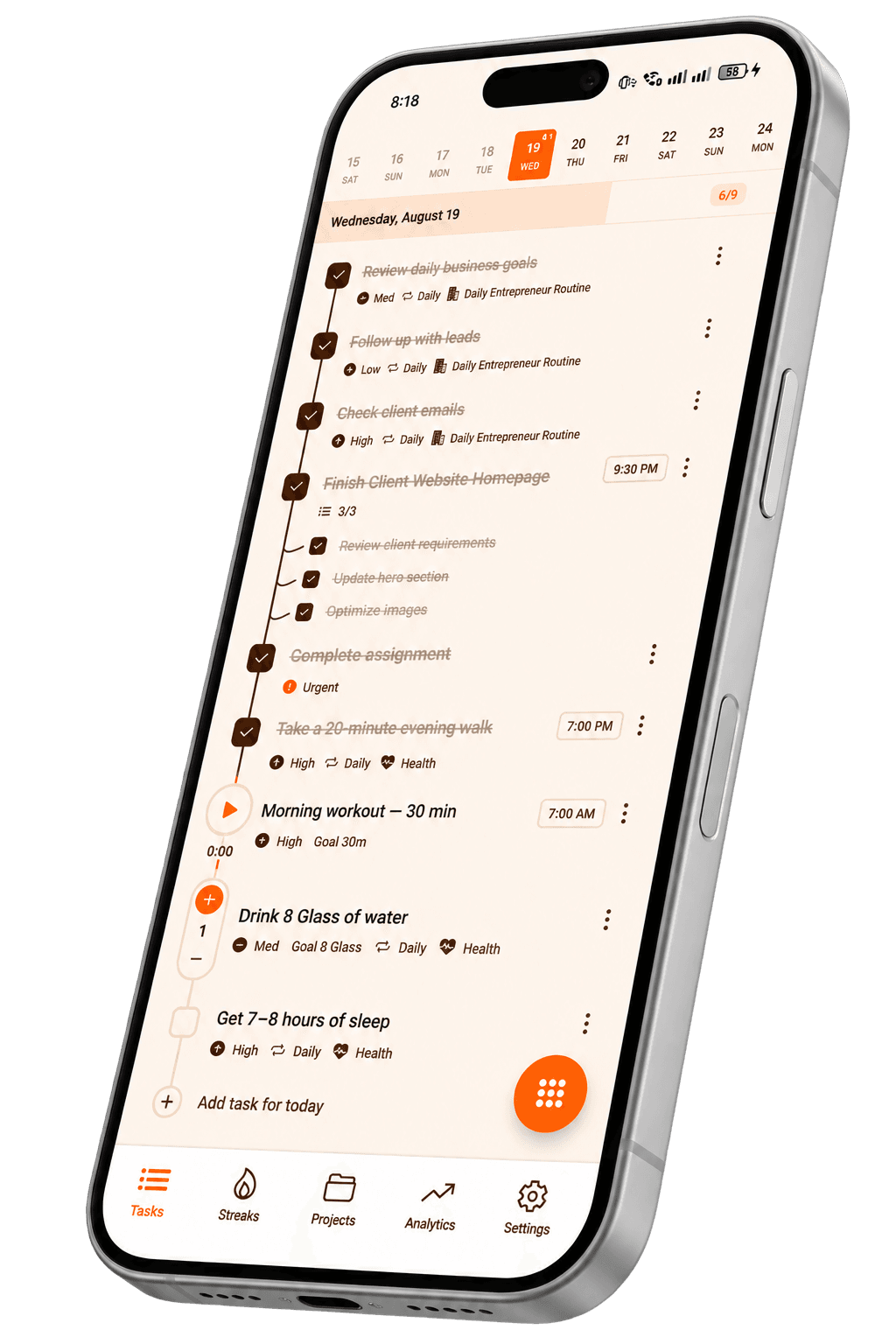
Clean enough for a quick list, strong enough for a busy day.
Tick off a task, count up to a goal like 8 glasses of water, or run a focus timer for a 30-minute workout.
Mark what matters most and give tasks a time, so the right work rises to the top.
Add a reminder to any task and Taskke nudges you when it's time to act.
Break bigger work into small steps and check them off one by one.
Write a task, pick its type and set a priority, a time and a reminder if you need one.
Today's timeline shows what's next, with checklists, timers and counters right in the list.
Repeat routines daily, weekly or monthly and let streaks show how consistent you are.
Deadlines, meetings and follow-ups in priority order.
Assignments, revision sessions and exam prep.
Chores, errands and bills that come back every week.
Workouts, water and sleep goals with counters and timers.
Quick answers about this feature. Still stuck? Visit the help centre or contact us.
Taskke is a free to-do list app for Android. You can add tasks with priorities (low, medium, high, or urgent), due dates, reminders, descriptions, and checklists of subtasks, repeat tasks daily, weekly, or monthly, and build streaks from the tasks you complete.
Yes. The free plan includes unlimited one-off tasks, up to 4 daily, 2 weekly, and 2 monthly recurring tasks, 1 Streak Bundle with up to 5 tasks, reminders, and basic streak tracking. Taskke Pro ($2.99/month or $24/year) makes recurring tasks and Streak Bundles unlimited, and new users get a 15-day free Pro trial.
Taskke is available for Android phones and tablets on Google Play. There is no iPhone or web version yet; an App Store version is coming soon.
Yes. Any task can have a checklist of subtasks. Break a task like "Prepare for exam" into steps such as "Review chapter 1" and "Practice questions", then tick each one off as you go.
Yes. Set a reminder on any task and Taskke sends a push notification at the time you choose. Pair it with a due date: the due date says when the task is due, and the reminder says when to start.
Yes. Every task can be marked low, medium, high, or urgent, so you always know what to tackle first. Priorities also feed into your analytics, so you can see where your effort actually goes.
Yes. Set any task to repeat daily and it reappears on your list every day — useful for routines like a morning review or a 30-minute workout. Weekly tasks can repeat on the days you choose, and monthly tasks once a month.
Yes, through streaks. Completing a task day after day builds its streak, with milestones at Spark (3 days), Ember (7), Flame (14), Blaze (30), and Inferno (60 days). Streak Bundles (1 on the free plan, unlimited with Pro) track a whole routine as one streak.
Three: simple tasks you check off, counter tasks measured by count (like drinking 8 glasses of water), and timer tasks with a built-in Pomodoro-style focus timer (like a 30-minute workout).
Most to-do apps stop at the checkbox. Taskke connects completed tasks to streaks and analytics — completion trends, daily performance, priority breakdown, and an activity heatmap — so you can see whether you're actually staying consistent, not just what's on your list.

Free on Android. Your habits, tasks and streaks in one place, and your AI app can help too.