
Task Reminder App for AndroidNever Forget a Task With Task Reminders
Taskke is a free task reminder app for Android. Attach a reminder to any task and get a push notification when it's time to act — so daily routines and recurring responsibilities stay on your radar without relying on memory.
Free on Google Play · Android phones & tablets
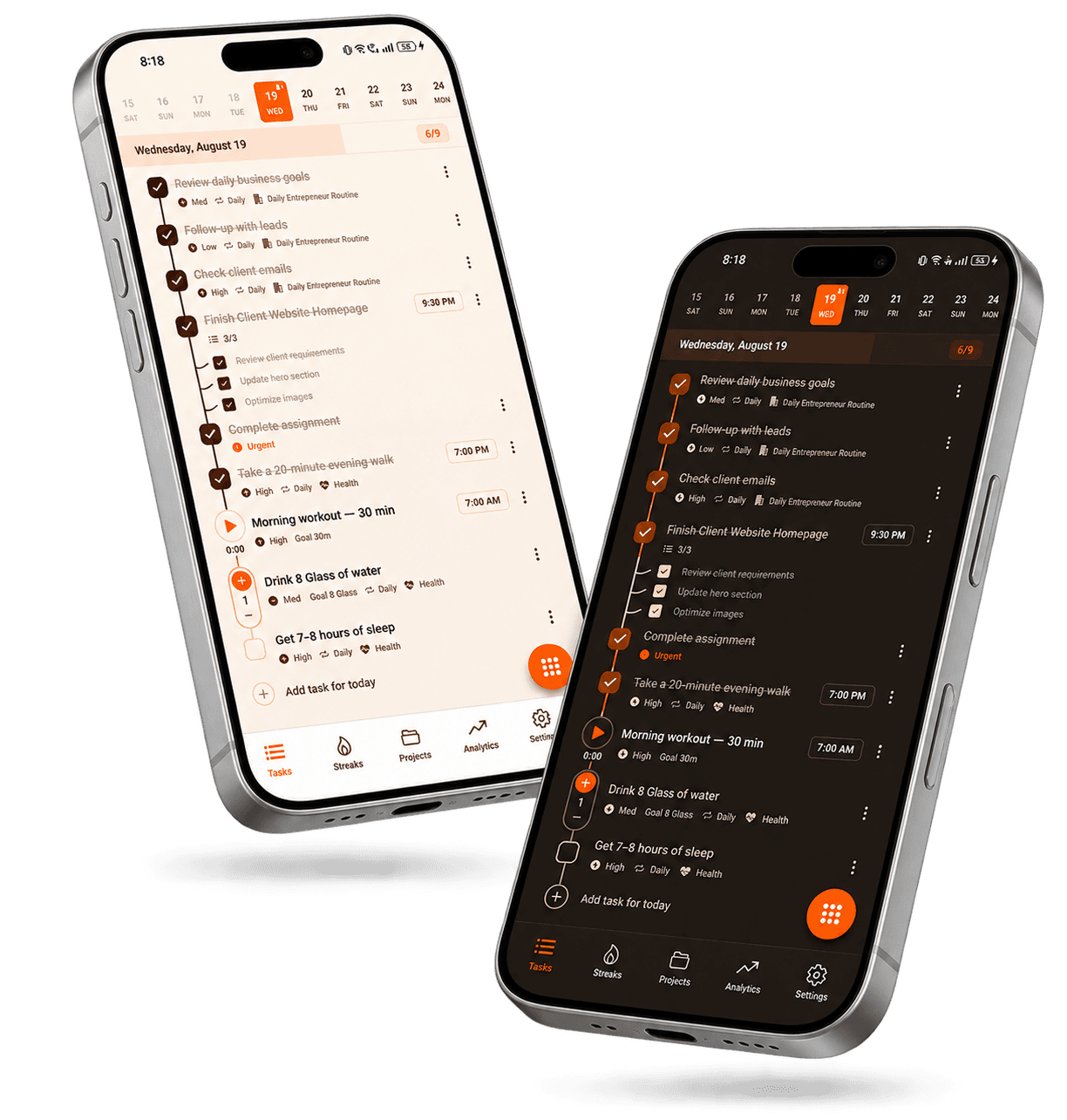
- Attach reminders to tasks
- Works with recurring tasks
- Connected to your to-do list
- Track completions
- Streak tracking
- Progress analytics
A notification that brings a task to your attention at the right time
A task reminder is a scheduled notification associated with a specific task that prompts you to act on it at the appropriate time. Rather than relying on memory alone, a reminder surfaces the task when it's relevant — so important work, appointments, and routines are harder to overlook.
In Taskke, reminders are attached directly to tasks. You set a time, and Taskke sends a push notification when that time arrives — whether the task is a one-off responsibility, a recurring routine, or something with a deadline.
Taskke's task reminders at a glance
- Price
- Task reminders are included in the free plan
- Platform
- Android phones and tablets
- Delivery
- Push notification at the time you choose
- Works on
- One-off and recurring tasks
- Repeats
- Ready again each time a recurring task returns
- Recurring
- Daily, weekly on chosen days, or monthly
- Linked to
- The task itself — not a separate calendar entry
- Pairs with
- Due dates, priorities, and streaks
Remember Important Tasks at the Right Time
Creating a task is the first step. Remembering to act on it is the harder one. A to-do list tells you what needs to be done — a reminder tells you when to pay attention to it.
Taskke lets you attach a reminder to any task so that a push notification brings it to your attention at the time you choose. This is particularly useful for tasks that are easy to overlook when you're busy — deadlines, appointments, recurring routines, and important follow-ups.
Without a reminder
- 01Task exists in your list
- 02You get busy
- 03Task goes unseen
- 04It slips past
With a reminder
- 01Task exists in your list
- 02Reminder fires at your time
- 03You see the notification
- 04You act on the task
Add Reminders to Your Tasks
In Taskke, a reminder isn't a separate item — it's part of the task itself. You set it once when creating or editing the task, and Taskke sends a push notification at your chosen time. No extra setup required.
This means your task and its reminder stay together. When the notification arrives, you know exactly which task needs attention — and you can go straight to it.
Set a time on any task
Add a reminder to one-off tasks, recurring tasks, or anything in between.
Push notification
Taskke sends a push notification when your reminder time arrives.
Linked to the task
The reminder is connected to the task — not a disconnected calendar entry.
Works with priorities
Pair reminders with task priorities so the most important items get your attention first.
Recurring task
Defines what repeats and on what schedule — daily, weekly, or monthly.
Reminder
Defines when you get notified to act on that task. The two work together.
You complete it
Check it off. The recurring task resets. The reminder is ready for next time.
Use Reminders With Recurring Tasks
Recurring tasks define what repeats. Reminders define when you need to act. Together, they handle the two sides of maintaining a routine.
A daily exercise task is easy to schedule. It's also easy to forget when the day gets busy. Adding a reminder to your recurring task means it comes to you — so the routine doesn't rely on you remembering to check your list at the right moment.
Keep Reminders Connected to Your To-Do List
A reminder without a task is just noise. A task without a reminder relies entirely on you checking the list at the right time. Taskke keeps the two together — every reminder belongs to a task, and every task can have a reminder.
Your to-do list captures everything you need to do. Reminders make sure the tasks that need attention at a specific time actually reach you when that time comes.
Task with reminder
Submit project update
UrgentReview lecture notes
DailyWeekly planning session
WeeklyEach task holds its own reminder — everything stays in one place.
Plan Tasks With Reminders
A task planner helps you organise what needs to happen and when. Reminders add a second layer — they actively bring important planned tasks to your attention so that deadlines and time-sensitive items don't get buried under a busy day.
Together, planning and reminders cover both sides of staying on top of work: the structure of what needs to happen, and the nudge to act when it matters.
Task planner handles
- What needs to be done
- Which tasks matter most
- When tasks are due
- How to organise the workload
Reminders handle
- When to pay attention
- Proactive notifications
- Bringing tasks to you
- Time-sensitive prompts
Use Reminders for Daily Routines
Reminders are most useful for tasks that have a natural time to happen — routines, appointments, follow-ups, and responsibilities that benefit from a prompt at the right moment.
| Task | Reminder time | Purpose |
|---|---|---|
Morning review | Start of day | Begin the day with a plan |
Study session | Evening | Keep a study habit consistent |
Exercise | Morning | Maintain a fitness routine |
Client follow-up | Before work | Stay on top of communication |
Weekly planning | Start of week | Keep planning regular |
Monthly review | Start of month | Review goals and progress |
Reminder times shown are illustrative examples. Set your own time when creating a task in Taskke.
Stay Consistent With Reminders and Streaks
A reminder helps you remember to complete a task. Completing it consistently is what builds a streak. These two features work well in combination: reminders reduce the chance of missing daily and recurring tasks, and streak tracking shows whether your routines are actually holding together over time.
Adding reminders to your recurring tasks can make it easier to keep consistent — but streak tracking reflects your actual completions, not your intentions.
Set a recurring task
Define the responsibility and how often it repeats.
Add a reminder
Attach a push notification at your chosen time.
Reminder fires
Taskke notifies you when it's time to act.
Complete the task
Check it off. Your streak grows.
Track your consistency
Analytics show whether your routine is holding.
See Your Progress After the Reminder
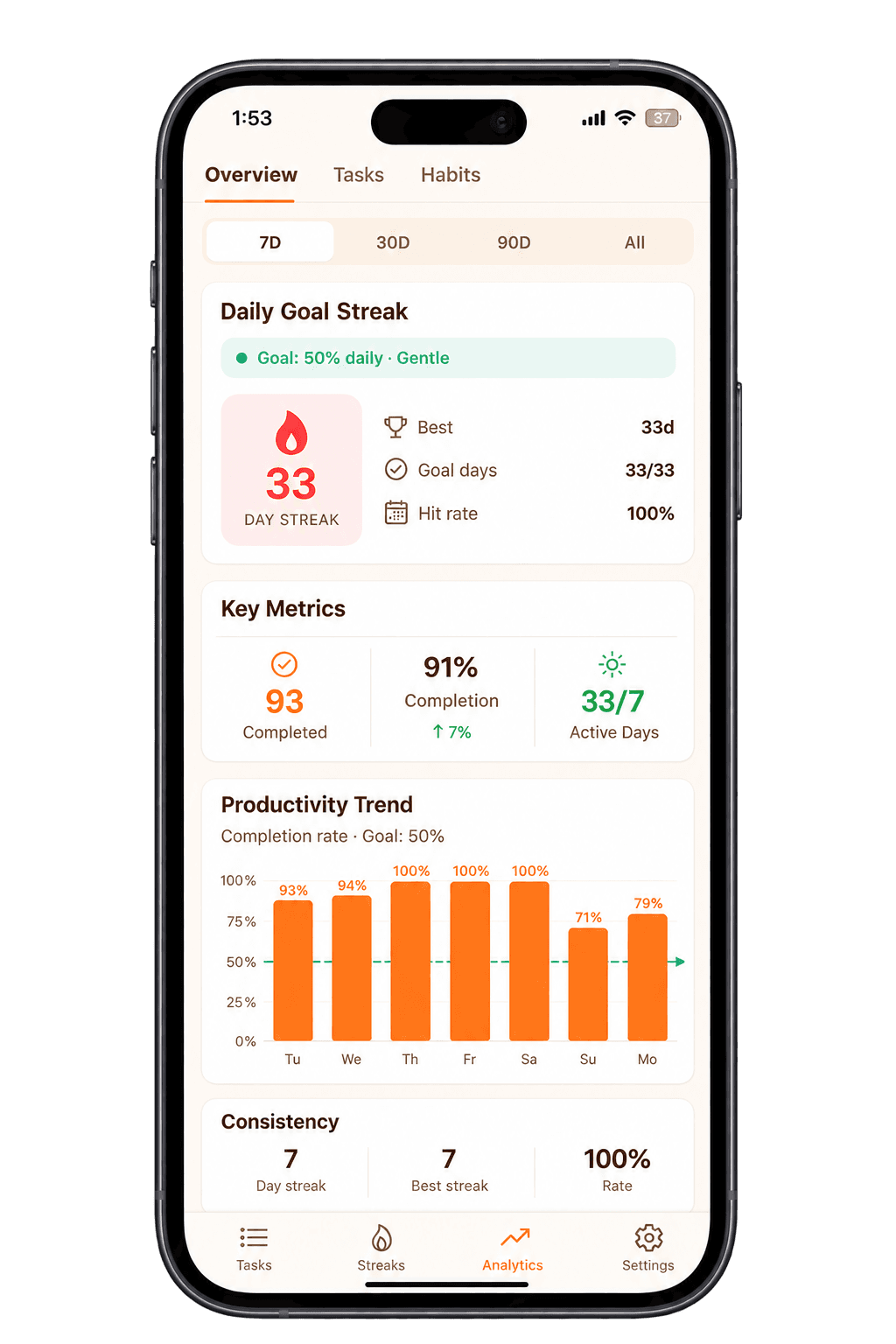
Reminders help you remember. Analytics show you the result. After completing the tasks your reminders prompted, Taskke's analytics give you a picture of how consistently you're following through.
Analytics features include completion trends, daily performance summaries, streak history, and an activity heatmap — all based on tasks you've actually completed.
Task Reminders vs a Simple To-Do List
Both tools are useful. Understanding the difference helps you use them together more effectively.
Tells you what needs to be done
A list is passive. It holds your tasks and waits for you to open it and check what's there. You have to remember to look.
- Captures all tasks
- Organises priorities
- Tracks completions
- Requires you to check it
Tells you when to pay attention
A reminder is active. It comes to you at a set time — so you don't need to remember to check. It brings the task to your attention when it's relevant.
- Time-based notification
- Linked to a specific task
- Works with recurring tasks
- Proactive — comes to you
Combines both in one place
Taskke's task list and reminders work together. You capture everything you need to do — and attach reminders to the tasks that need active attention at a specific time.
- Task list for everything
- Reminders for time-sensitive tasks
- Recurring tasks for routines
- Streak tracking for consistency
Types of Tasks That Benefit From Reminders
Any task that needs to happen at a specific time is a good candidate for a reminder. Here are some common examples.
- Review lecture notes
- Assignment deadlines
- Revision sessions
- Practice problems
- Reading schedule
- Client follow-ups
- Project check-ins
- Report deadlines
- Weekly reviews
- Meeting preparation
- Exercise routine
- Morning planning
- Reading habit
- Evening journal
- Household tasks
- Monthly financial check
- Subscription reviews
- Weekly planning
- Goal reviews
- Regular admin
How Task Reminders Work in Taskke
Create a task
Add the work, routine, or responsibility to your Taskke task list.
Add a reminder
Set the time when you want to be notified about this task.
Receive the push notification
Taskke sends a notification at your chosen time, bringing the task to your attention.
Complete the task
Act on the task and check it off. If it's recurring, it resets automatically.
Who Can Benefit From Task Reminders?
Anyone who has tasks that need to happen at specific times can benefit from reminders — which covers most people with regular work, study, or personal routines.
Students
Keep study sessions, revision routines, and assignment deadlines on track with timely reminders.
Taskke for studentsFreelancers
Stay on top of client follow-ups, project deadlines, and recurring administrative work.
Taskke for freelancersEntrepreneurs
Keep planning sessions, operational tasks, and regular responsibilities visible with reminders.
Taskke for entrepreneursProfessionals
Remember reports, meeting preparation, project reviews, and time-sensitive work responsibilities.
Taskke for professionalsPersonal routines
Build exercise habits, reading routines, journaling practices, or any personal schedule that benefits from a daily prompt.
Explore More Taskke Features
Reminder
Questions
Common questions about task reminders in Taskke. Contact us if yours isn't here.
A task reminder is a scheduled notification attached to a specific task that prompts you to act on it at a chosen time. In Taskke, reminders are set directly on individual tasks and delivered as push notifications.
Yes. Task reminders are included in Taskke's free plan on Android. Attach a push-notification reminder to any task — one-off or recurring — at the time you choose.
Yes. Put a reminder on a recurring task and it is ready again each time the task comes back — daily, weekly on the days you choose, or monthly — so routines get a prompt every time without being set up again.
Make each daily task recurring so it reappears every day, attach a reminder for the time you actually want to do it, and check it off when it's done. Taskke then builds a streak from those completions, so you can see whether the routine is sticking.
Reminders are useful when a task needs to happen at a specific time and you can't rely on checking your list manually. They bring the task to your attention when it's relevant — reducing the chance that important work, routines, or deadlines slip past unnoticed.
Yes. Adding reminders to daily recurring tasks — exercise, study sessions, morning planning, or similar routines — means Taskke notifies you when it's time to act, rather than relying on you to check the list at exactly the right moment.
Yes. You can add a reminder to any task in Taskke's to-do list — one-off tasks, recurring tasks, or anything else. The reminder is attached to the task, so they stay together.
Yes. Reminders can help students stay on top of study sessions, revision routines, assignment deadlines, and any recurring academic responsibilities that benefit from a prompt at the right time.
Reminders make it easier to act on tasks at the right time, which reduces the chance of missed completions. Whether that translates into consistency depends on how you follow through — Taskke's streak tracking shows your actual completion patterns over time.
A task is the work that needs to be done. A reminder is the notification that prompts you to act on it. In Taskke, they are connected — the reminder lives inside the task, so when the notification fires, it points directly to the relevant item.
Yes. You can add a reminder to any task, including one-off tasks with a specific deadline or time requirement. The reminder fires once at your chosen time.
You create or edit a task, set a reminder time, and Taskke sends a push notification at that time. The notification is linked to the task, so you can act on it directly.
Yes. Taskke combines reminders with its to-do list, recurring tasks, streak tracking, and productivity analytics — so reminders are part of a broader system for managing and reviewing your work, not just a standalone notification tool.
Yes. You can set reminders on tasks that are part of a Streak Bundle — a group of related tasks tracked together under one consistency goal (1 on the free plan, unlimited with Pro). Reminders help make sure you act on each task in the bundle.
Stop Forgetting. Start Remembering.
Add reminders to your tasks, keep your routines on track, and stay consistent with Taskke.