Organize Your Daily Tasks in One Place
Taskke is a simple to-do list and task manager that helps you capture daily tasks, organize them by priority, set reminders, add checklists, and turn completed work into consistent progress.
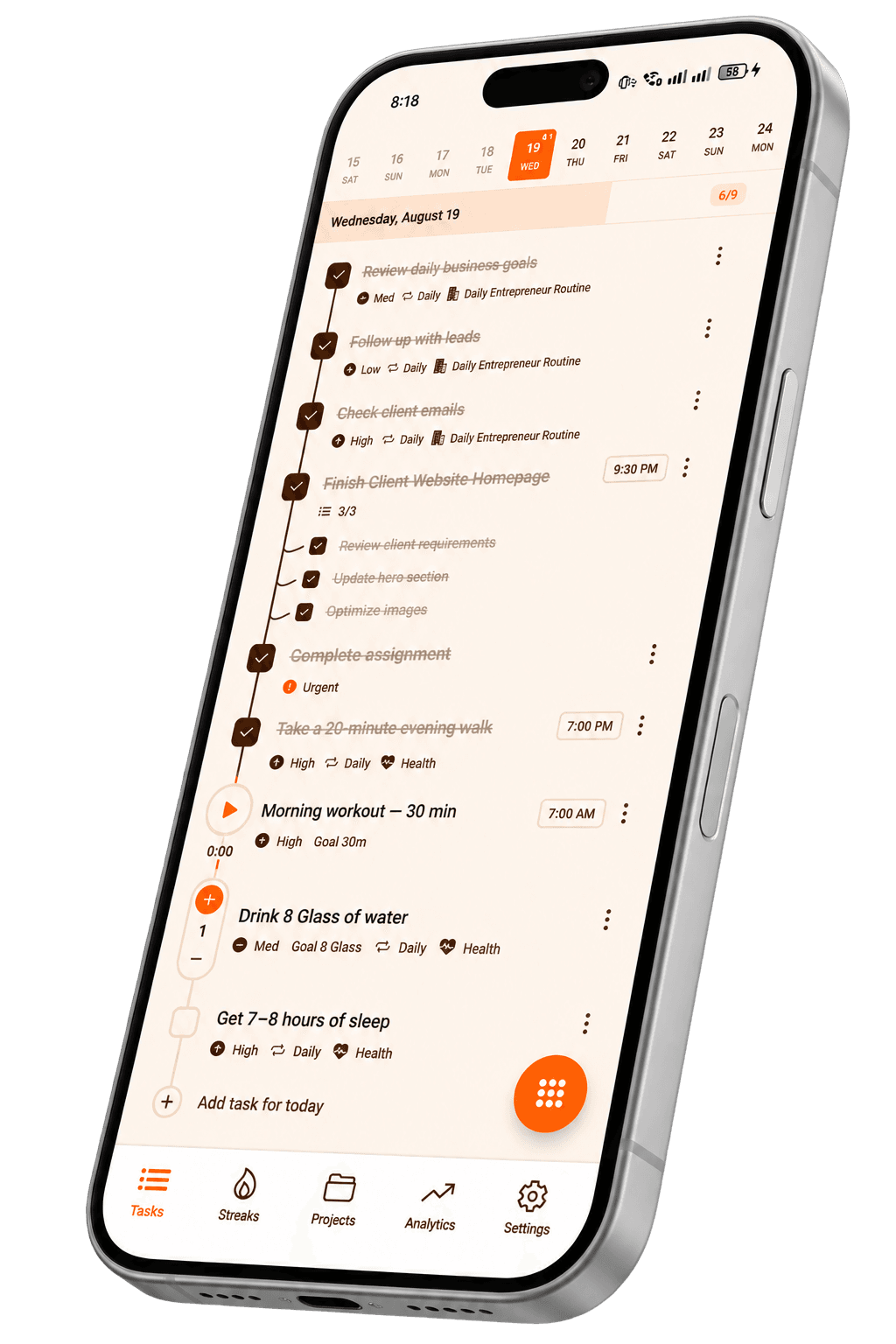
- Organize daily tasks
- Set priorities
- Add reminders
- Create checklists
- Recurring tasks
- Track completion
A productivity app built around your daily to-do list
Taskke is a productivity app for Android that gives you a straightforward to-do list alongside a full task manager — so you can create tasks, stay organized, build habits, and see what you actually completed. It combines task management, recurring tasks, reminders, streak tracking, focus sessions, and productivity analytics in one place.
Keep your daily to-do list organized
Create tasks for the things you need to get done, then organize them with priorities, categories, tags, descriptions, and due dates. Your task list stays useful instead of becoming a pile of forgotten items.
- Task descriptions
Add a description to any task so the context is there when you come back to it.
- Priorities
Mark tasks as low, medium, high, or urgent so you always know what to tackle first.
- Categories & tags
Group tasks into categories and add tags for flexible filtering across your list.
- Due dates
Set a due date on any task and keep your list tied to real deadlines.
- Mark complete
Check tasks off as you finish them. Completed work stays in your history.
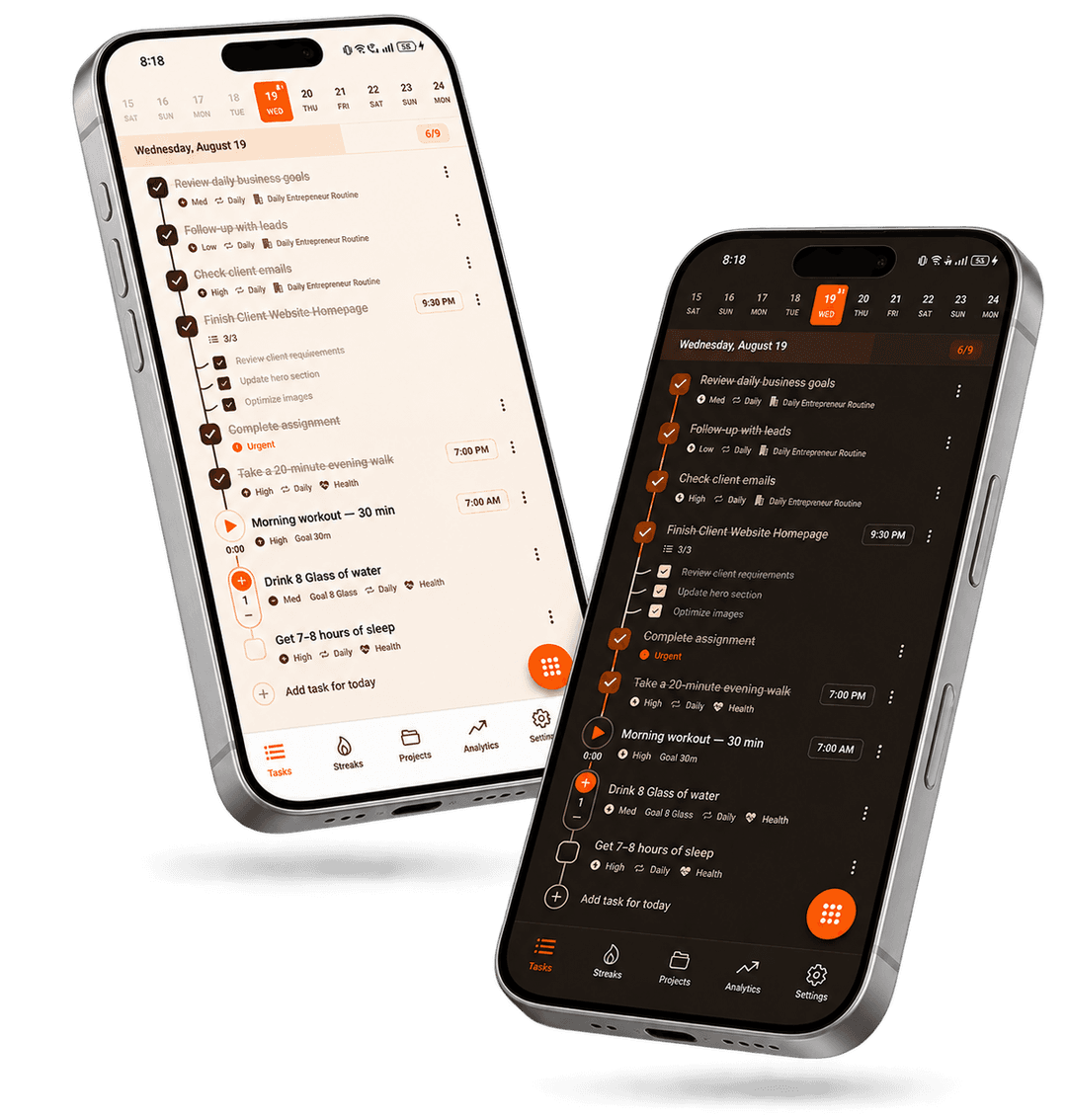
Prioritize what matters most
Not every task is equally important. Taskke lets you assign a priority level to each task — urgent, high, medium, or low — so when you open your to-do list you immediately know where to start.
Priorities also feed into your analytics, so over time you can see whether you're spending your effort on what actually matters.
Break bigger tasks into checklists
Any task in Taskke can have its own checklist of steps. Instead of one vague task like "Prepare for exam," you can break it into specific items and tick them off one by one — so you always know exactly where you stand.
Checklists keep complex tasks from feeling overwhelming. You still see the big picture in your to-do list, but when you open the task the work is already broken down.
Task checklist example
Prepare for exam
- Review chapter 1
- Review chapter 2
- Practice questions
- Review notes
Create recurring to-do tasks
If you do the same task regularly — studying, exercising, reviewing your inbox — you don't need to recreate it every time. Set it as a recurring task and Taskke handles the rest, resetting automatically on your chosen schedule.
- Morning review
- 30-min workout
- Read 20 pages
- Daily journaling
- Weekly planning session
- Review finances
- Team check-in
- Friday retrospective
- Pay bills
- Monthly goals review
- Backup files
- Newsletter
Learn more about recurring tasks — including daily, weekly, and monthly repeat options.
Remember important tasks with reminders
Taskke lets you set a reminder on any task. When the time comes, you get a push notification so the task doesn't slip past you — even if your phone has been sitting untouched all morning.
Reminders work well alongside due dates. Set a due date for when something is due, then set a reminder for when you actually want to be alerted to start.
Task reminder
Taskke · now
Choose the task type that fits the work
Taskke supports three task types because not everything you need to get done fits neatly into a checkbox. Each type captures a different kind of progress accurately.
Simple Tasks
The standard to-do item. Create it, add a description and priority, set a due date or reminder, and mark it done when you finish.
Best for: everyday to-do items, one-off tasks, anything where you just need a checkbox.
Timer Tasks
Tasks that run a built-in focus timer while you work. The timer tracks how long you spend on the task during an active session.
Best for: focused work sessions, studying, deep work, or anything time-boxed.
Learn moreCounter Tasks
Tasks measured by count rather than a single completion. Set a target and tap to increment as you make progress.
Best for: water intake, push-ups, pages read, repetitions, units produced.
Learn moreTurn completed tasks into consistency
Taskke doesn't stop at a checklist. Each task you complete daily contributes to a streak — a running count of how many consecutive days you've kept up with it. The longer the streak, the stronger the signal that a habit is actually forming.
For routines made up of multiple related habits, Streak Bundles let you track the whole group as one consistency goal — so one skipped item doesn't break the whole bundle.
Add a task
Create any task in your to-do list.
Complete it daily
Check it off. Build a completion record.
Build a streak
Consecutive completions grow your streak.
Track consistency
See your progress in analytics and history.
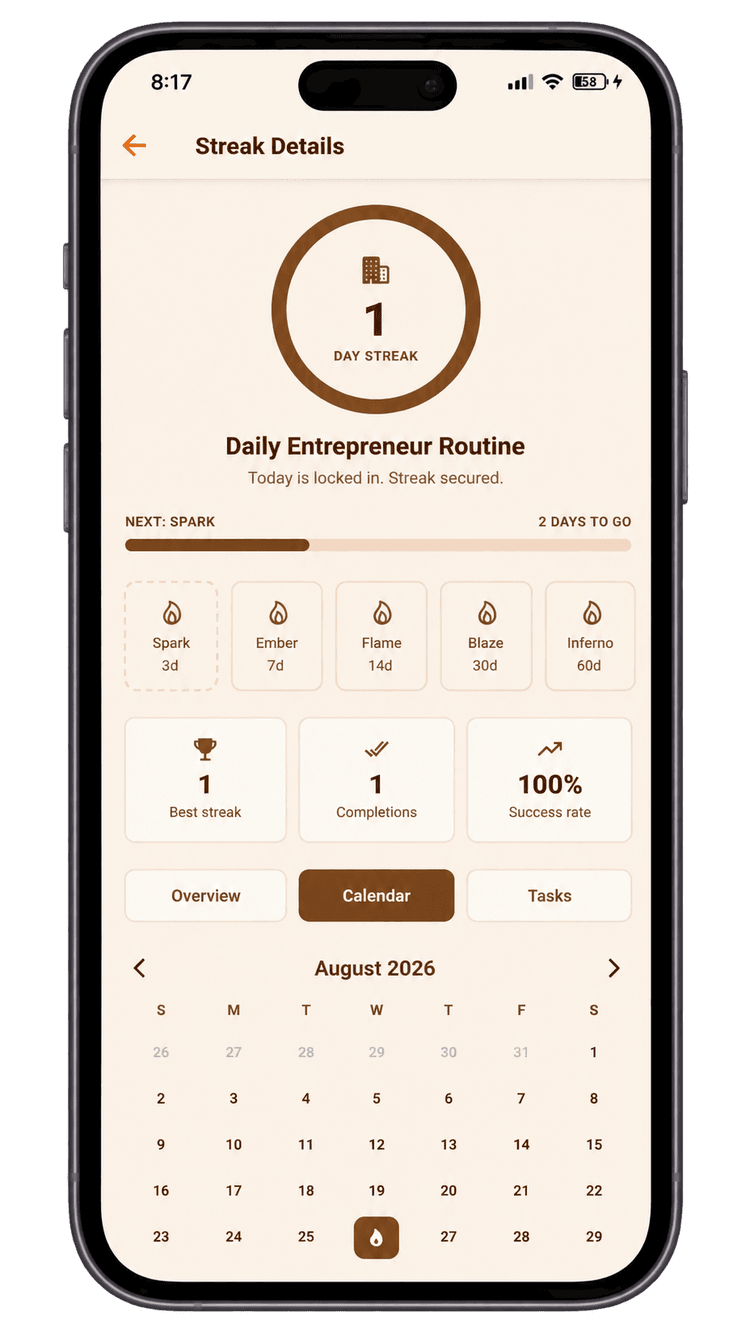
More than a basic to-do list
Most to-do apps are good at helping you write down what you plan to do. Taskke is built to help you understand whether you're actually doing it — consistently, day after day. Tasks feed into streaks, streaks feed into analytics, and analytics feed into better habits.
To-do list
Capture everything you need to do, organized and accessible.
Streak tracking
See how consistently you're completing the tasks that matter.
Analytics
Understand your productivity with completion data and heatmaps.
See what you actually completed
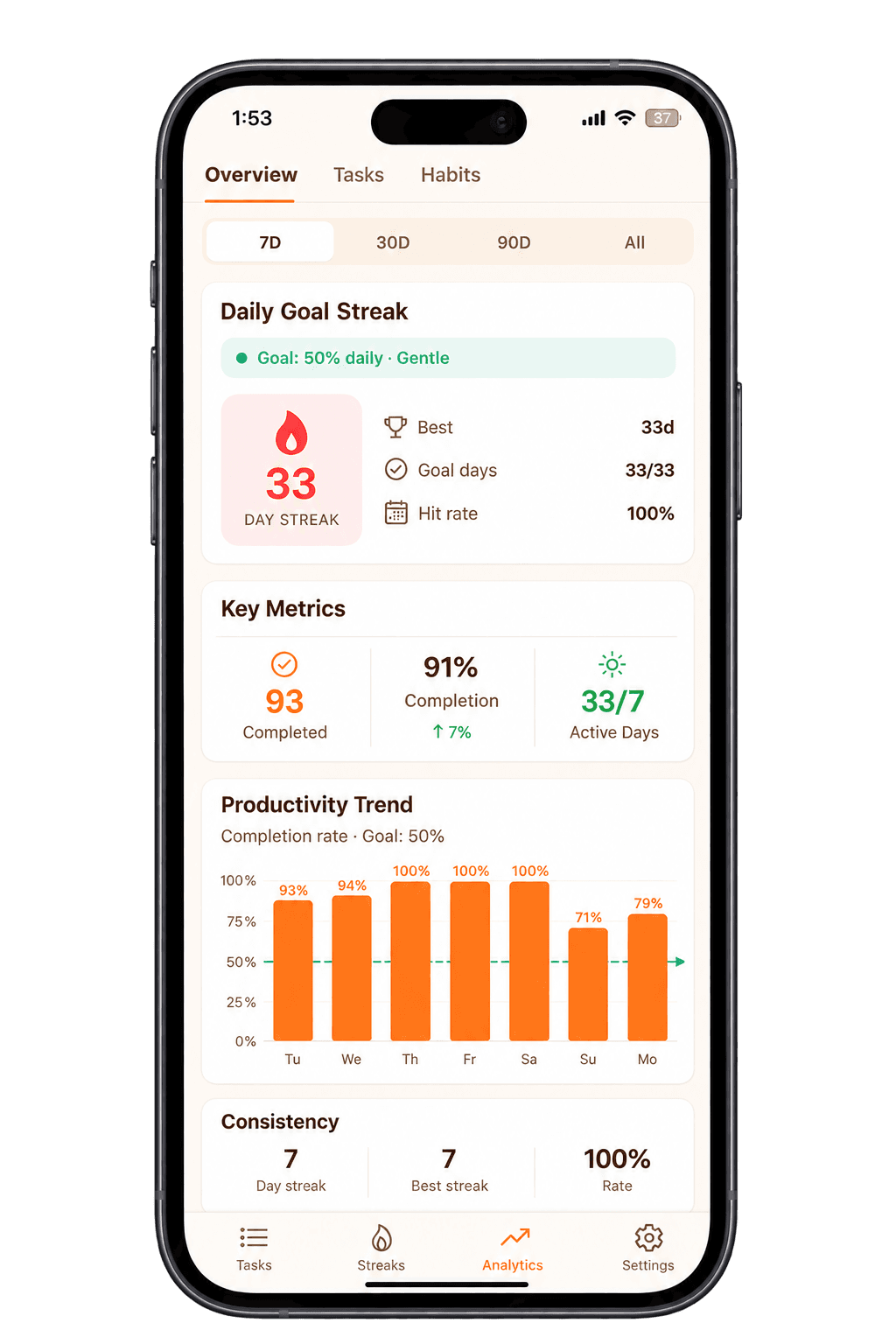
A task list tells you what you planned. Taskke's analytics show you what you actually got done. View completion trends, daily performance, priority breakdowns, streak history, and an activity heatmap — all based on real data from your to-do list.
- Completion trends over time
- Daily performance summary
- Priority breakdown
- Activity heatmap (calendar view)
- Streak history and consistency
Focus on tasks with a Pomodoro-style timer
Timer tasks come with a built-in focus timer that works in a Pomodoro-style way. You start the task, the timer runs while you work, and the session is tracked. It's useful for deep work, study sessions, or any task where you want to be intentional about how much time you invest.
Use Taskke for everyday work, study & routines
Personal routines
- Daily exercise and fitness tracking
- Reading and learning habits
- Morning and evening routines
- Household tasks and errands
- Personal goals and self-improvement
How to use Taskke as a to-do list
Add your tasks
Create the tasks you need to complete. Give each one a title, and optionally a description, category, tags, and due date.
Organize your work
Set priorities, break complex tasks into checklists, assign categories and tags, and use recurring tasks for anything on a regular schedule.
Complete tasks consistently
Use reminders to stay on time. Complete recurring tasks daily to build streaks and turn individual tasks into real habits.
Track your progress
Review your productivity in analytics. See how many tasks you completed, identify your strongest days, and use streak history to understand your consistency.
Questions
Answered
Common questions about Taskke's to-do list and task management features. Contact us if yours isn't here.
Explore more Taskke features
Ready to turn your to-do list into real progress?
Organize your tasks, build consistency, and see your progress with Taskke. Free to download on Google Play.