Plan Your Tasks. Stay Consistent. Get More Done.
Taskke helps you plan your day by organizing tasks around priorities, deadlines, and recurring schedules — so you always know what needs to happen next, and you can see whether your plan is actually working.
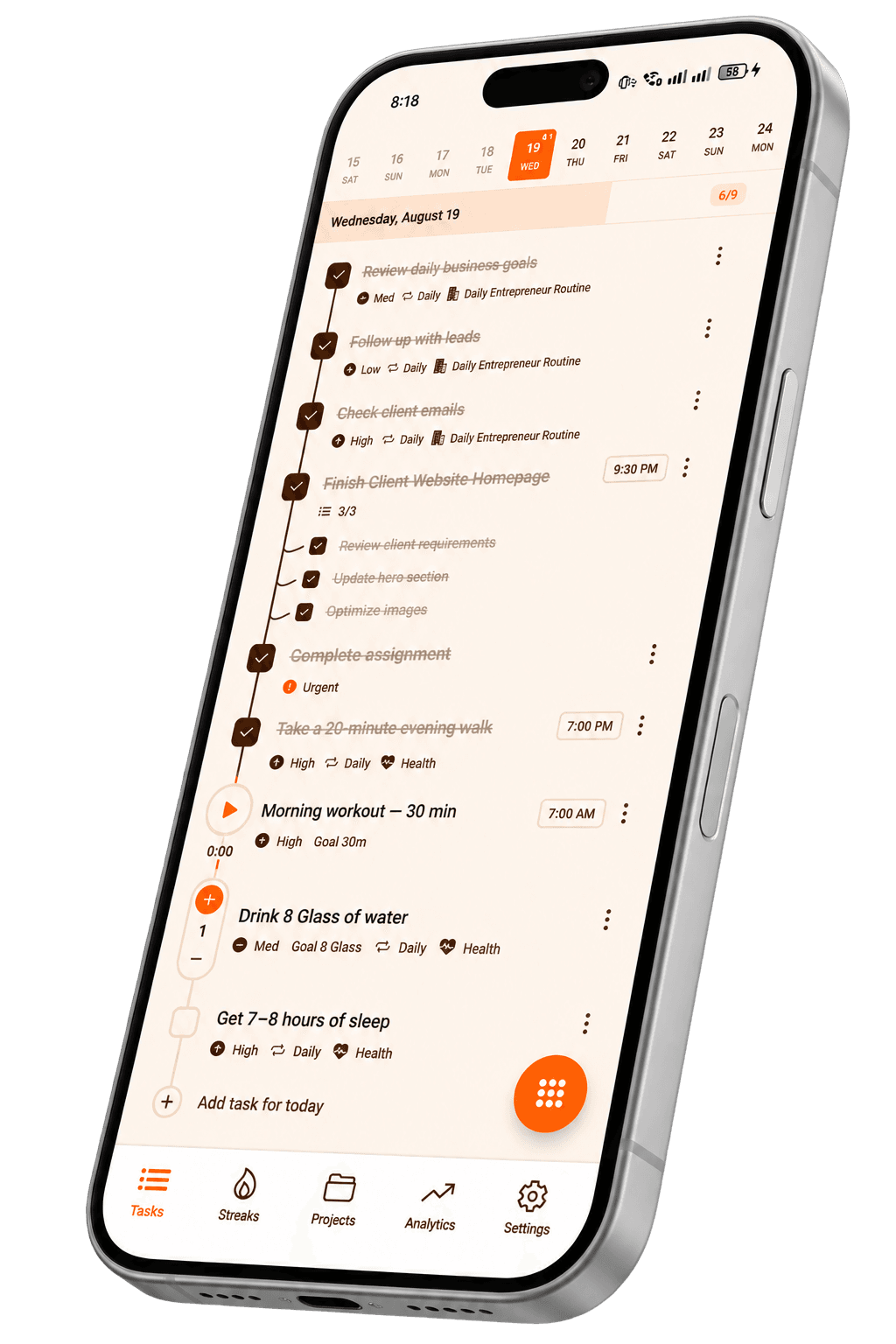
- Set priorities
- Due dates & deadlines
- Recurring task planning
- Break work into steps
- Reminder notifications
- Review progress
A tool for turning responsibilities into a clear daily plan
A task planner is a tool for organizing the work you need to complete — turning large responsibilities into specific tasks, ordering them by priority and timing, and building schedules that actually hold up over time.
Taskke adds recurring tasks, reminders, checklists, streak tracking, and productivity analytics on top of the planning foundation — so your plan becomes an ongoing routine rather than a one-off list.
More than a list of tasks
A basic list tells you what exists. A task planner helps you answer the questions that actually matter before you start working.
Taskke gives you the structure to organize both: you can use Taskke as a to-do list or go further and build a structured daily plan with priorities, schedules, and recurring routines.
What to do
Specific, actionable tasks — not vague goals.
What matters first
Priority levels so you start with the right work.
When it's due
Due dates tied to real deadlines.
How to break it down
Checklists that turn large tasks into smaller steps.
Whether it repeats
Recurring tasks for regular responsibilities.
Whether it got done
Completion history in your analytics.
Plan your day with clear tasks
Vague intentions don't become completed work. A useful daily plan breaks large responsibilities into specific, actionable tasks — each one clear enough that you know exactly when it's done.
Taskke gives you the tools to do this: create tasks, assign them a priority, add a due date, and break them further into checklists if the work is complex.
Vague
Hard to start. Hard to finish.
Planned
- Research competitors
- Write homepage copy
- Update metadata
- Test mobile layout
- Publish changes
Clear. Actionable. Trackable.
Know which tasks matter first
Not everything on your task list is equally important, and planning without priorities means starting the day without a clear direction. Taskke lets you assign each task a priority level — urgent, high, medium, or low — so you open your task list knowing exactly where to start.
Priority data also feeds into your analytics, so over time you can see how your effort is distributed across different urgency levels.
Plan around deadlines
Good planning accounts for when things need to happen. Taskke lets you assign a due date to any task so it sits clearly in your plan — not forgotten at the bottom of a scrolling list.
Pair a due date with a reminder and Taskke will send a push notification at the time you choose — useful for tasks that genuinely can't wait.
Submit project proposal
Review weekly goals
Send newsletter draft
Plan tasks that repeat
A significant part of daily work is recurring — the same responsibilities that happen every day, every week, or every month. Taskke's recurring tasks let you plan these once and let them automatically reset on schedule, so your planner always reflects your real ongoing commitments.
- Morning planning review
- Study session
- Exercise
- Evening journal
- Weekly priorities review
- Admin & emails
- Budget check
- Friday retrospective
- Monthly goals review
- Pay subscriptions
- Financial summary
- Deep clean
Learn more about recurring tasks in Taskke.
Break bigger work into smaller steps
When a task represents something complex — launching a project, preparing for an exam, or completing a large deliverable — a single checkbox isn't enough. Taskke lets you add a checklist of subtasks to any task, so large work is broken down into specific, completable steps.
You see the whole task in your planner; when you open it, the steps are already laid out.
Task
Launch a new project
- Define project requirements
- Prepare content and assets
- Review and test
- Publish
Use different task types for different work
Good planning accounts for the different kinds of work in a day. Taskke supports three task types so you can represent each one accurately.
Simple Tasks
Standard action items you check off when done. The core of your daily task plan.
Good for: everyday work, one-off actions, assignments, and anything with a clear completion point.
Timer Tasks
Tasks with a built-in focus timer. The timer runs while you work and tracks how long you spend.
Good for: deep work blocks, study sessions, focused writing, or any time-boxed activity.
Learn moreCounter Tasks
Tasks measured by a count. Set a target and tap to increment as you make progress.
Good for: water intake, exercise reps, pages read, units completed.
Learn moreTurn your plans into consistent habits
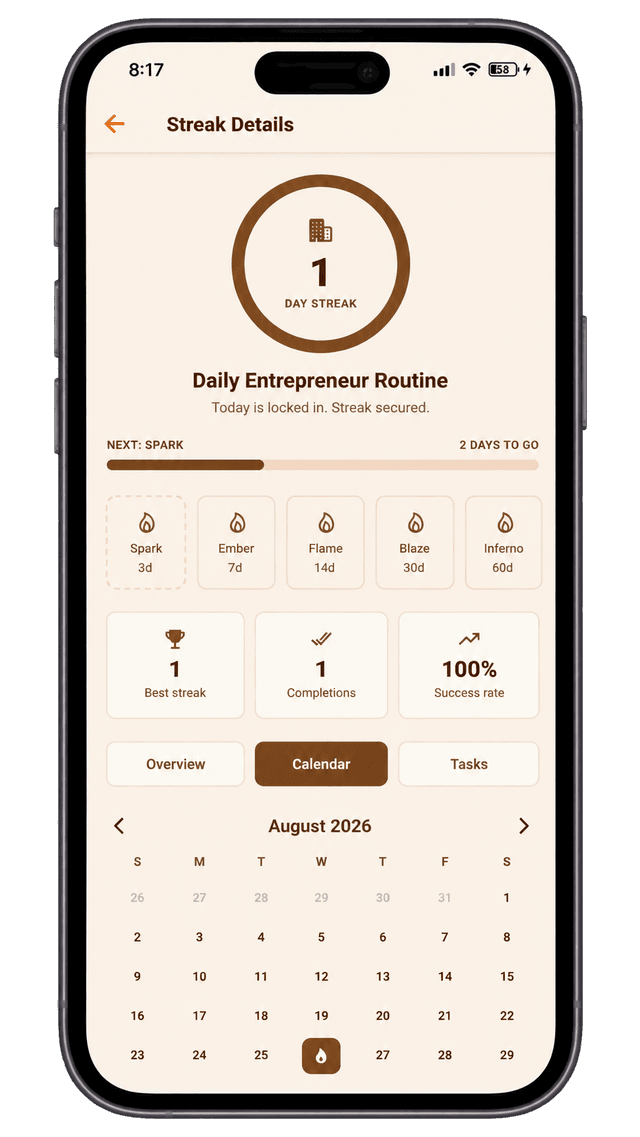
Planning something once isn't the same as building it into a routine. Taskke connects your daily completed tasks with streak tracking — so you can see whether the plan you made is actually becoming a consistent habit over time.
For routines made up of multiple related tasks, Streak Bundles let you group them into one shared consistency goal. Completing enough of the bundle counts as a streak day — without one skipped item resetting everything.
Plan it
Add a task to your daily plan.
Complete it
Check it off each day.
Build a streak
Consecutive completions grow your streak.
Review progress
Analytics show whether the plan is working.
See how well your plans are working
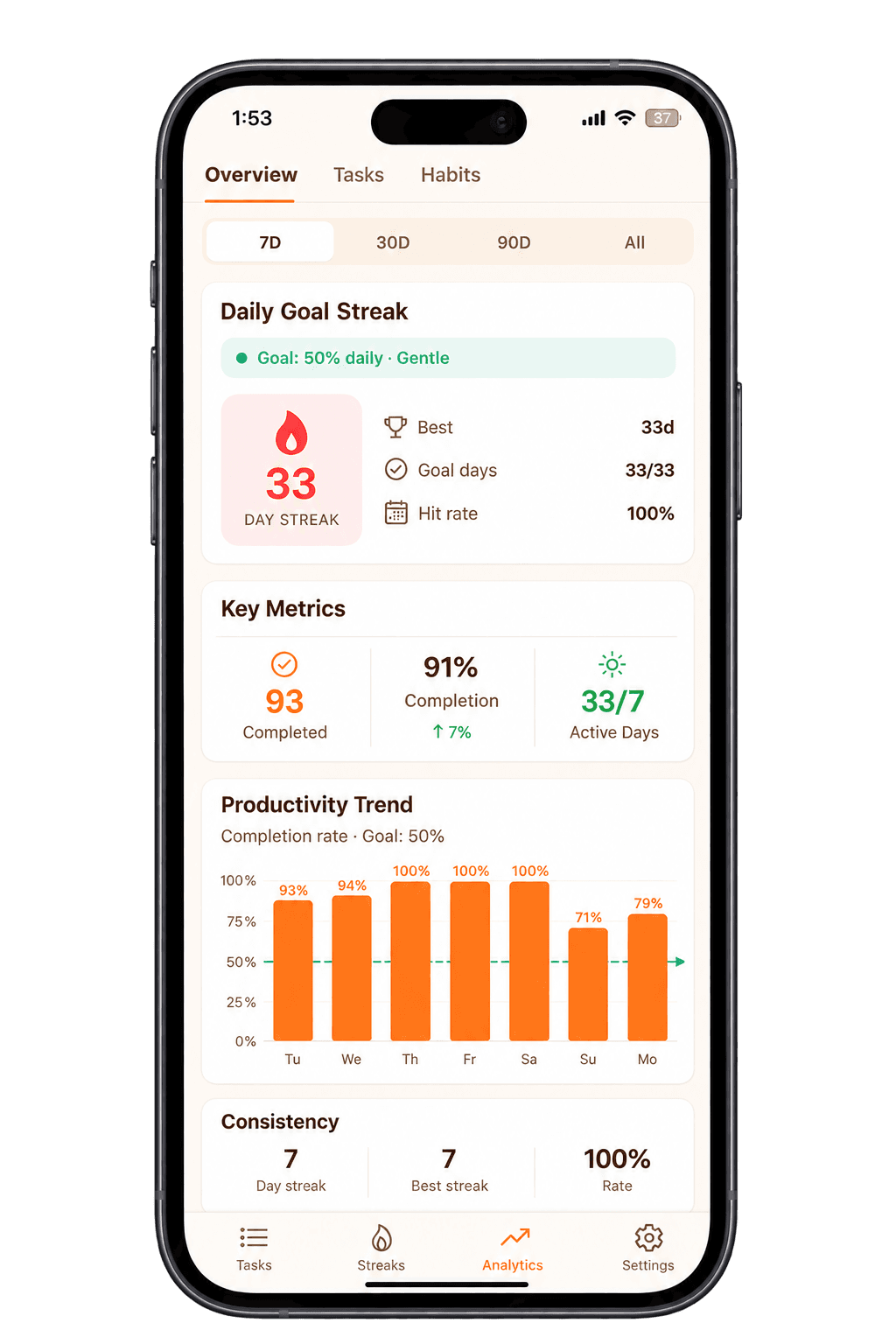
Planning tells you what you intend to do. Analytics tell you whether you actually did it. Taskke's productivity analytics surface the data behind your task completions — so you can understand what's working in your plan and where you're consistently falling short.
- Completion trendsDaily and weekly rates over time.
- Daily performanceHow many tasks you finished each day.
- Priority breakdownHow your effort maps to urgency.
- Activity heatmapCalendar view of your productivity.
- Streak historyHow consistently you followed the plan.
How to plan your day with Taskke
Capture your tasks
Write down everything you need to accomplish — work, study, personal, or recurring responsibilities.
Organize your work
Assign priorities and categories, add due dates, and break complex tasks into checklists.
Schedule recurring responsibilities
Set daily, weekly, or monthly recurrence for regular work. Add reminders so important tasks aren't missed.
Complete and review
Work through your tasks and use streaks and analytics to see how consistently your plan is holding up.
Who can use Taskke as a task planner?
Personal planning
- Plan errands and household tasks
- Schedule exercise and fitness routines
- Build reading and learning habits
- Organize personal goals into steps
Examples of tasks you can plan
Any task that is specific enough to be actionable and has a clear completion point can go into your Taskke planner.
- Review lecture notes
- Complete assignment
- Practice questions
- Prepare exam summary
- Prepare weekly report
- Review project tasks
- Respond to priority emails
- Update documentation
- Exercise for 30 minutes
- Grocery shopping
- Read for 20 pages
- Call a friend
- Weekly planning review
- Monthly goal check
- Daily journal entry
- Evening shutdown routine
Explore Taskke's other features
Task
Planning
Questions
Common questions about using Taskke as a task planner. Contact us if yours isn't here.
Plan your tasks with Taskke
Organize your priorities, stay on top of recurring work, and turn your plans into consistent progress. Free to download on Google Play.