
Know what matters first
Priorities put the most important work at the top.
Free plan forever · 15-day Pro trial
Turn responsibilities into a clear daily plan with priorities, deadlines, repeats, reminders and checklists, then see how well it worked.
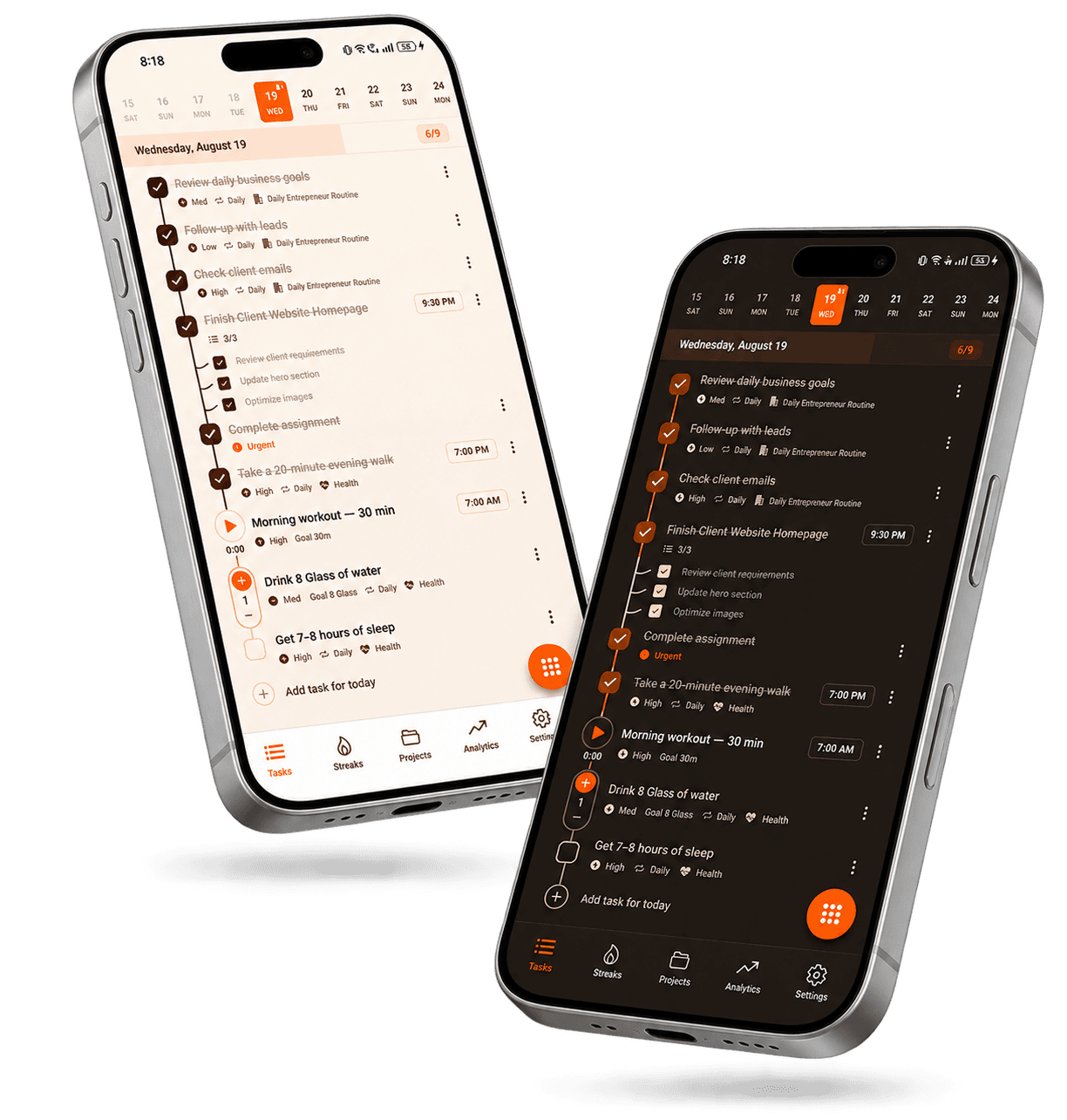
A plan you can actually follow through on.
Priorities put the most important work at the top.
Give tasks dates and times so nothing sneaks up on you.
Checklists turn big tasks into small, doable pieces.
Simple, counter and timer tasks fit different kinds of work.
Add today's tasks and anything that repeats.
Set priorities, times and reminders.
Check analytics to see how your plans are working.
Meetings, deliverables and follow-ups.
Lectures, assignments and revision.
Milestones broken into checklists.
Errands, appointments and habits.
Quick answers about this feature. Still stuck? Visit the help centre or contact us.
A task planner is a tool for organizing the work you need to complete — turning responsibilities into specific tasks, ordering them by priority and timing, and building schedules that hold up over time. Taskke adds recurring tasks, reminders, checklists, streak tracking, and productivity analytics on top, so your plan becomes an ongoing routine.
A to-do list captures what you need to do. A task planner also organizes when it happens, which tasks matter most, how to break down larger work, whether it repeats, and whether the plan is actually working. Taskke covers both — it works as a simple to-do list or as a structured daily planner depending on how you use it.
In four steps: capture every task you need to do; give each one a priority and a due date and break big tasks into checklists; set recurring tasks and reminders for regular work; then complete your tasks and review your streaks and analytics to see whether the plan is working.
Yes. Taskke is a free daily task planner app for Android phones and tablets, available on Google Play. A date strip at the top of your task list shows each day's tasks and how many you've completed.
Yes. Give tasks due dates, set weekly recurring tasks on the exact days you choose (for example Sunday, Thursday, and Friday), and use the date strip to see what's planned for each day. Daily and monthly repeats cover everything else.
Yes. Every task in Taskke can be assigned a priority level — urgent, high, medium, or low — so you can see at a glance which items need your attention first.
Yes. Set a reminder on any task and Taskke sends a push notification at your chosen time. Use the due date for when a task is due and the reminder for when you want to start it.
Yes. Any task in Taskke can have a checklist of subtasks. Break larger work into specific steps and mark each one off as you go.
Yes. The free plan includes unlimited one-off tasks, up to 4 daily, 2 weekly, and 2 monthly recurring tasks, 1 Streak Bundle with up to 5 tasks, reminders, and basic streak tracking. Taskke Pro ($2.99/month or $24/year) makes recurring tasks and Streak Bundles unlimited, and new users get a 15-day free Pro trial.
Yes. Recurring tasks combined with streak tracking let you build routines and see how consistently you're following through. Streak Bundles (1 on the free plan, unlimited with Pro) let you group multiple related habits into one shared consistency goal.
Yes. Taskke's analytics section includes completion trends, daily performance summaries, priority breakdowns, streak history, and an activity heatmap based on your actual task completions.

Free on Android. Your habits, tasks and streaks in one place, and your AI app can help too.