
On any task
Add a reminder to one-off tasks, routines and checklists.
Free plan forever · 15-day Pro trial
Attach a reminder to any task. Taskke notifies you at the right time, repeats with recurring tasks and keeps your streaks going.
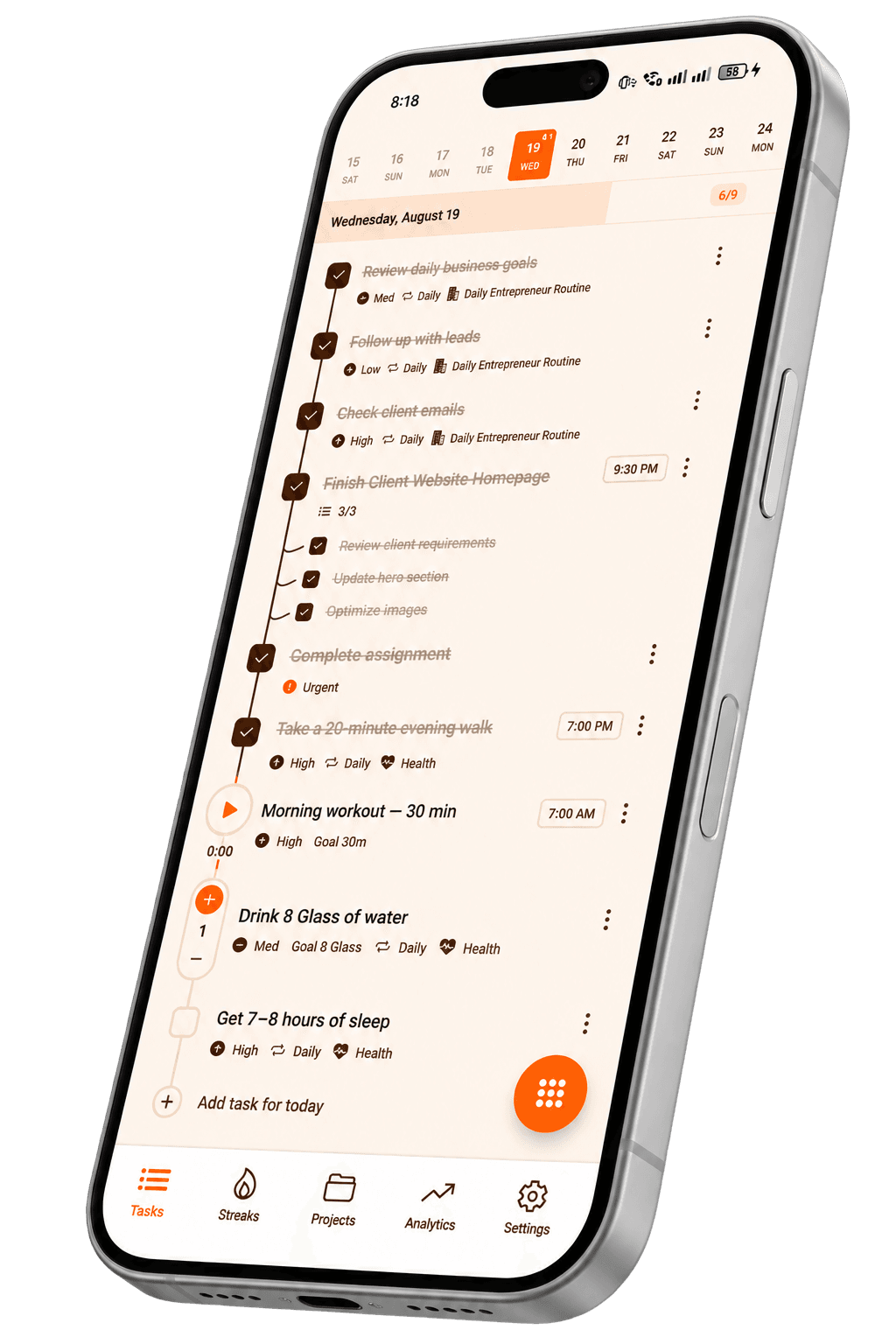
A reminder brings the task to you, so you don't have to keep it in your head.
Add a reminder to one-off tasks, routines and checklists.
Daily, weekly or monthly tasks remind you every time they come back.
The reminder opens the task, so you can act and tick it off.
A timely nudge means fewer missed days and longer streaks.
Create the task you need to remember.
Choose when Taskke should notify you.
Open the reminder, complete the task and keep your streak.
Medication, water and evening reviews.
Assignments, submissions and payments.
Calls, meetings and check-ins.
Workouts, reading and study sessions.
Quick answers about this feature. Still stuck? Visit the help centre or contact us.
A task reminder is a scheduled notification attached to a specific task that prompts you to act on it at a chosen time. In Taskke, reminders are set directly on individual tasks and delivered as push notifications.
Yes. Task reminders are included in Taskke's free plan on Android. Attach a push-notification reminder to any task — one-off or recurring — at the time you choose.
Yes. Put a reminder on a recurring task and it is ready again each time the task comes back — daily, weekly on the days you choose, or monthly — so routines get a prompt every time without being set up again.
Make each daily task recurring so it reappears every day, attach a reminder for the time you actually want to do it, and check it off when it's done. Taskke then builds a streak from those completions, so you can see whether the routine is sticking.
Reminders are useful when a task needs to happen at a specific time and you can't rely on checking your list manually. They bring the task to your attention when it's relevant — reducing the chance that important work, routines, or deadlines slip past unnoticed.
Yes. Adding reminders to daily recurring tasks — exercise, study sessions, morning planning, or similar routines — means Taskke notifies you when it's time to act, rather than relying on you to check the list at exactly the right moment.
Yes. You can add a reminder to any task in Taskke's to-do list — one-off tasks, recurring tasks, or anything else. The reminder is attached to the task, so they stay together.
Yes. Reminders can help students stay on top of study sessions, revision routines, assignment deadlines, and any recurring academic responsibilities that benefit from a prompt at the right time.
Reminders make it easier to act on tasks at the right time, which reduces the chance of missed completions. Whether that translates into consistency depends on how you follow through — Taskke's streak tracking shows your actual completion patterns over time.
A task is the work that needs to be done. A reminder is the notification that prompts you to act on it. In Taskke, they are connected — the reminder lives inside the task, so when the notification fires, it points directly to the relevant item.
Yes. You can add a reminder to any task, including one-off tasks with a specific deadline or time requirement. The reminder fires once at your chosen time.
You create or edit a task, set a reminder time, and Taskke sends a push notification at that time. The notification is linked to the task, so you can act on it directly.
Yes. Taskke combines reminders with its to-do list, recurring tasks, streak tracking, and productivity analytics — so reminders are part of a broader system for managing and reviewing your work, not just a standalone notification tool.
Yes. You can set reminders on tasks that are part of a Streak Bundle — a group of related tasks tracked together under one consistency goal (1 on the free plan, unlimited with Pro). Reminders help make sure you act on each task in the bundle.

Free on Android. Your habits, tasks and streaks in one place, and your AI app can help too.